Self-directed · Prototypes

Prototyping navigation, learner input and LMS reporting.

Short, self-directed builds testing two questions that come up on most engagements: what data can a course actually send back to a learning platform, and how do you fit a resource library into a linear course without breaking it.

Client
Self-directed
Role
Prototyping
Period
2022
Published as
SCORM 2004 v3
Built with
Articulate Storyline

01Learning data

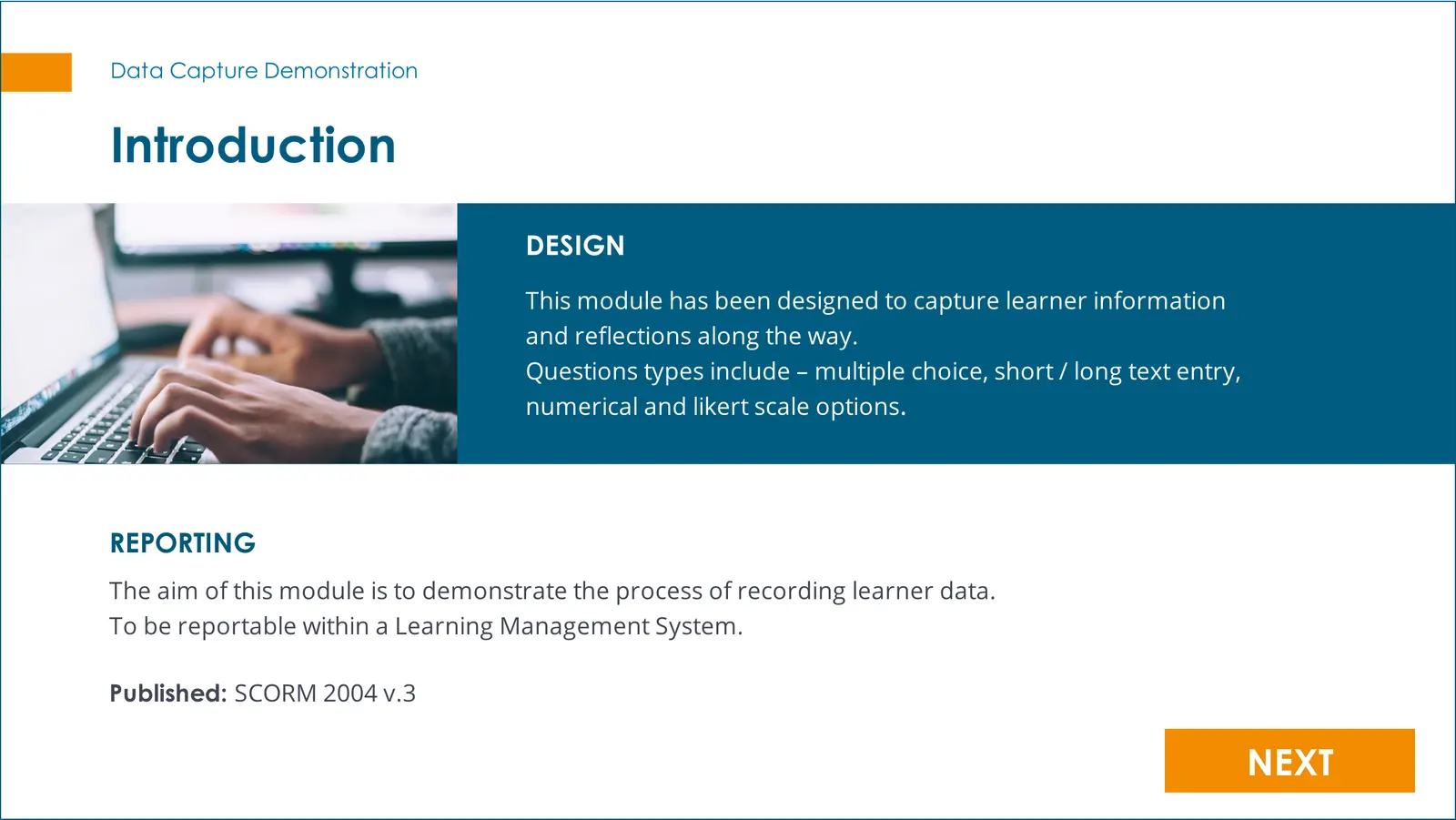
The introduction screen of a data capture demonstration: a design summary explaining that the module captures learner information and reflections through multiple choice, short and long text entry, numerical and Likert-scale questions, and a reporting note stating it is published as SCORM 2004 version 3.
The prototype states its own scope, including the packaging standard. SCORM 2004 v3 is the constraint that determines what can be reported, so naming it on the first screen is the honest way to demonstrate a data claim.

The situation

Two questions come up on most learning engagements, usually late and usually as an assumption. What can this course report back to the platform, and where do the resources go.

Both are cheaper to answer with a working prototype than with a paragraph in a proposal. These are the prototypes, kept short on purpose.

What it looked like, and why

02Learning data
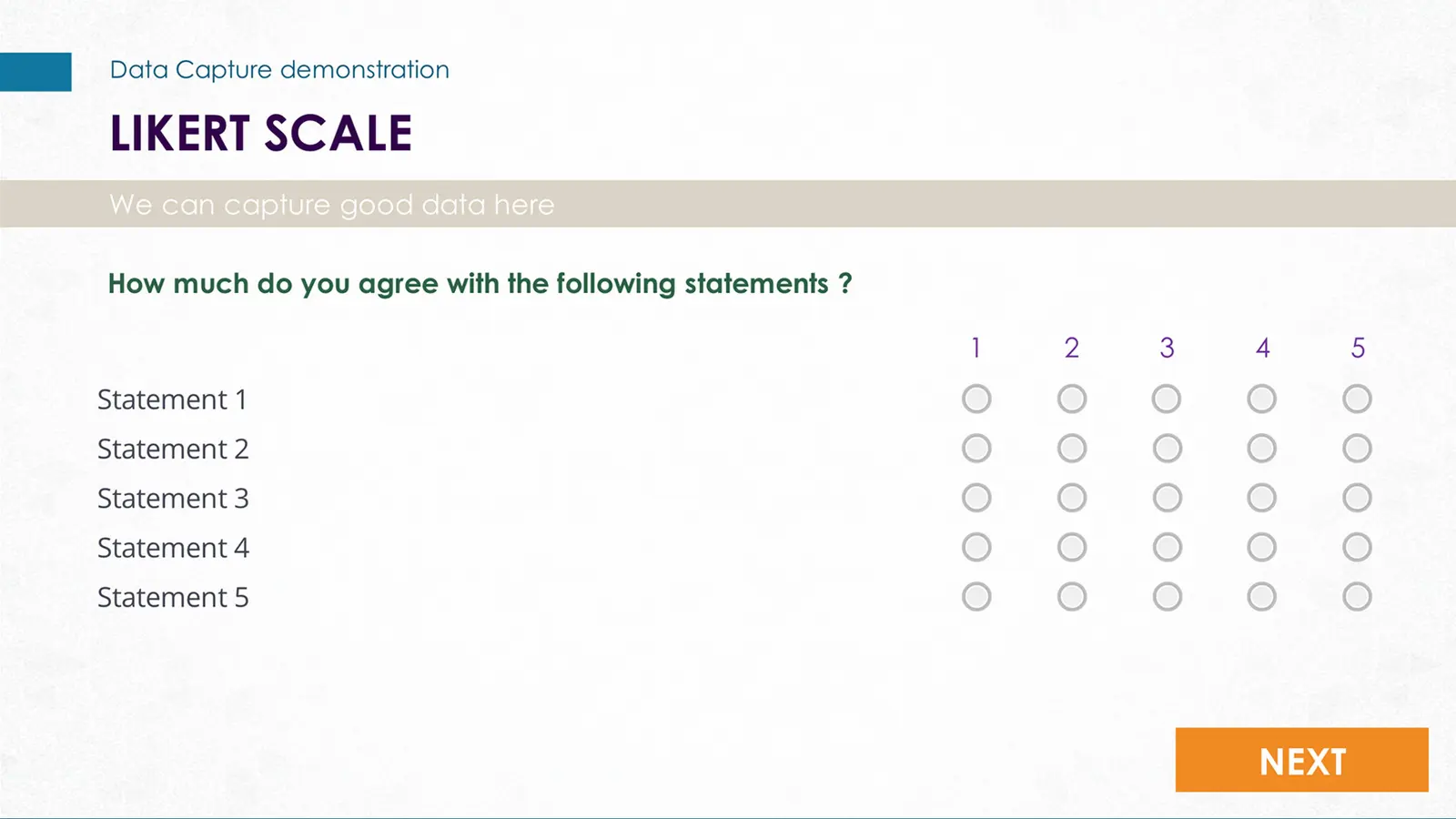
A Likert scale screen with five statements down the left and a one-to-five radio scale across, headed 'How much do you agree with the following statements?'.
A Likert grid is the hardest of the input types to make reportable, because five statements produce five values that have to survive the packaging intact. It is here because it is the test case, not because it is the most attractive screen.Shown small on purpose. Enlarge to read it.

03Interaction designTemplate or prototype
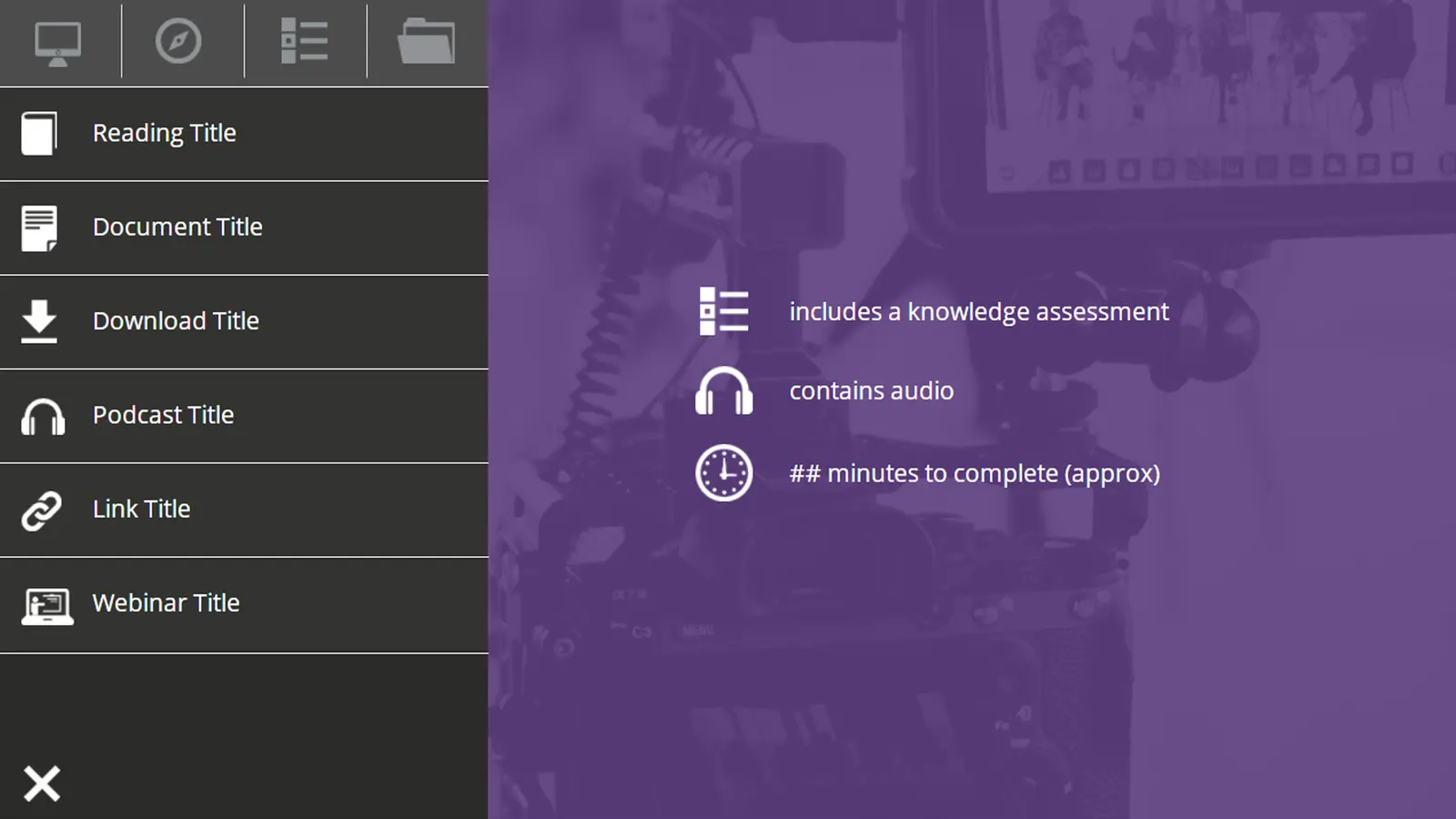
A slide-over navigation panel listing six resource types with icons: reading, document, download, podcast, link and webinar, beside a course summary noting a knowledge assessment, audio and an approximate duration.
A resource drawer for courses that carry more than slides. Typing the resources rather than listing them means a learner can tell a podcast from a download before they open it, and the drawer closes back to the exact position in the course.

Where it got to

  • A data-capture demonstration covering multiple choice, short and long text entry, numerical and Likert-scale input, packaged as SCORM 2004 v3
  • A resource-drawer navigation pattern for courses carrying mixed media types

These are self-directed prototypes, not client deliverables. They demonstrate a technique; they do not demonstrate an outcome.

Recognise any of this?

If your situation rhymes with this one, the useful next step is usually a short conversation about where the problem actually sits.

Or write directly: glenn@glennhammond.com